This tutorial describes obj, a minimalistic object system for Tcl.
As I made it for my project on computer-generated cartoons, the examples in this tutorial deal of a simple system of morphing lines. We create a class line and a class morph which interpolates two lines.
The code lines in this tutorial show the dialog of interactive shell tclsh. The percent sign % is the prompt. Completed lines without leading prompt are responses of Tcl as you are used by the shell.
Either you have just copied the file into some directory, then input:
% source obj-0.1.tm
%
Or, if you have put it to your package path, then input:
% package require obj
0.1
%
First, we create our class line:
% obj class line
class line
%
Every line has coords for the start and end point stored in option -coords. The default value shall be {10 10 100 10}:
% obj configure line -coords {10 10 100 10}
class line has option -coords with default {10 10 100 10}
%
Now is the time for all brave ... err ... well, we try our first object creation:
% set line1 [obj new line -coords {10 10 10 100}]
obj inst::3
%
No smoke at the keyboard. Phew. Now let us check if coordinates have value as expected:
% $line1 cget -coords
10 10 10 100
%
Our line shall be able to appear and disappear on an arbitrary canvas widget. (Note that inside methods, the variable $self refers to the object itself):
% obj method line appear canvas {
  $canvas delete $self
  $canvas create line [$self cget -coords] -tags $self
}
method line appear
% obj method line disappear canvas {
  $canvas delete $self
}
method line disappear
%
Now try it out:
% package require Tk
8.5.1
% pack [canvas .c] -expand yes -fill both
% $line1 appear .c
1
%
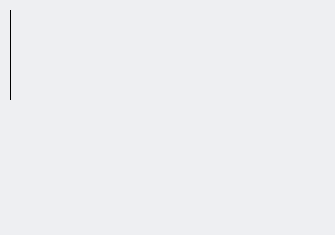
Screenshot:
As expected: a vertical line appears.
To avoid inappropriate values for option -coords, we always validate them on change:
% obj validatemethod line -coords val {
  foreach c $val {
    if {![string is double -strict $c]} then {
      return -code error\
        [list $self expects for -coords only numbers\
          but received $c]!
    }
  }
}
validatemethod line -coords
%
If we happen to try to configure our line1 with inappropriate values for -coords, an error is raised:
% $line1 configure -coords {x 2 3 4}
obj inst::3 expects for -coords only numbers but received x!
%
This method destructively moves object's coords towards another line object:
% obj method line morph {other f} {
  set coords {}
  foreach {x0 y0} [$self cget -coords] {x1 y1} [$other cget -coords] {
    lappend coords [expr {$x0+($x1-$x0)*$f}] [expr {$y0+($y1-$y0)*$f}]
  }
  $self configure -coords $coords
}
method line morph
%
Now, the basics are done. We start our morphing class
obj class morph
class morph
%
An instance of morph needs a starting line, an ending line, a resulting line, coords for each of them, and a state:
% obj configure morph -coords {10 10 10 100}
class morph has option -coords with default {10 10 10 100}
% obj configure morph -startcoords {10 10 10 100}
class morph has option -startcoords with default {10 10 10 100}
% obj configure morph -endcoords {100 10 100 100}
class morph has option -endcoords with default {100 10 100 100}
% obj configure morph -state 0.0
class morph has option -state with default 0.0
%
Objects can have private data. If one private date is the name of another object, then we can treat this as a component. The constructor of morph shall install components start, end, line:
% obj constructor morph {x0 y0 x1 y1 x2 y2 x3 y3} {
  $self private start [new line -coords "$x0 $y0 $x1 $y1"]
  $self private end [new line -coords "$x2 $y2 $x3 $y3"]
  $self private line [new line]
}
constructor morph
%
Now, let us test it:
% set m [new morph 10 10 10 100 50 50 30 100]
obj inst::5
%
We can always see all names of private data of the instance:
% $m private
start end line
%
See the value of private curve:
% $m private line
obj inst::8
%
We can invoke any defined method of private line:
% $m component line cget -coords
10 10 100 10
%
The methods appear, disappear are delegated to component line:
% obj delegate method appear morph line
class morph delegates method appear to component line.
% obj delegate method disappear morph line
class morph delegates method disappear to component line.
%
The option -coords relates to component line:
% obj delegate option -coords morph start
class morph delegates option -coords to component start.
%
The option -startcoords relates to option -coords of component start, the same for end, so delegate options with explicitly set name of target options:
% obj delegate option -startcoords morph start -coords
class morph delegates option -startcoords to component start.
% obj delegate option -endcoords morph end -coords
class morph delegates option -endcoords to component end.
%
Option -coords is set by configuremethod -state (see below). Setting it directly should be forbidden:
% obj read-only morph -coords
option -coords of class morph is read-only.
%
Our morphing object shall change its component line depending of option -state, thus we define the appropriate configuremethod:
% obj configuremethod morph -state s {
  $self component line configure -coords\
    [$self component start cget -coords]
  $self component line morph [$self private end] $s
}
configuremethod morph -state
%
Now, test it:
% $m configure -state 0.5
% $m appear .c
10
%
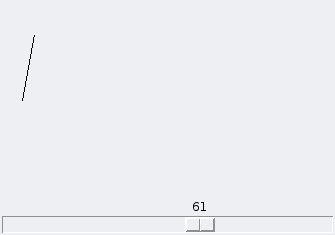
The morphed component line appears on canvas .c.
To watch the state of $m continuously, we create a scale which interactively sets the state:
% scale .c.s -orient horizontal
.c.s
% place .c.s -anchor sw -relwidth 1.0 -rely 1.0
% .c.s configure -command [list apply {{obj num} {
  $obj configure -state [expr {$num / 100.0}]
  $obj appear .c
}} $m]
%
Screenshot:
What remains? Just fine-tuning as you wish.
Have fun with object-oriented programming!
© Wolf-Dieter Busch | Home | Sitemap | Urheber | A-Z